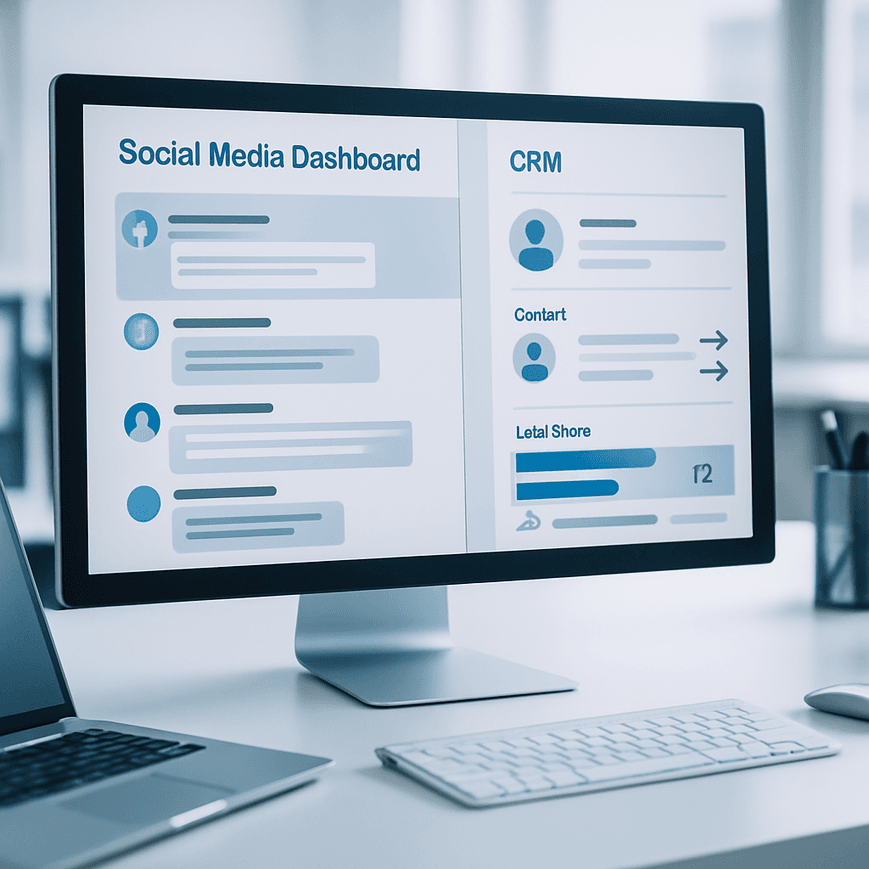
For companies in Singapore and the Philippines, social media is not just a brand channel anymore. It is where product questions surface first, service issues escalate fastest, and buying intent often appears long before a form fill. If your community team is replying on Facebook, LinkedIn, Instagram, TikTok, and X while your sales and support teams live inside a CRM, the business risk is fragmentation. Context gets lost, duplicate replies appear, lead scoring becomes unreliable, and high-value conversations never reach the right owner. Syncing social media community management with your CRM closes that gap, giving commercial teams a shared view of every interaction and making it easier to move from engagement to pipeline, retention, and advocacy.
Why social community data belongs in the CRM
A CRM should not only store sales opportunities and customer records. It should also act as the system of record for meaningful commercial interactions, including public comments, direct messages, referrals, complaints, and escalation signals from social channels. When social engagement is disconnected, teams make decisions with partial context. A prospect may ask for pricing in a LinkedIn comment, then follow up through a private message, then speak to sales by phone. Without CRM synchronization, those touchpoints sit in separate tools and the account owner never sees the full journey.
For business decision-makers, the value is operational as much as it is strategic. Synced data supports lead routing, faster response times, better attribution, and more accurate account history. For technical teams, the challenge is not just moving messages into the CRM. It is mapping social identities to records, preserving timestamps, handling duplicate detection, and ensuring that every event is usable downstream in reporting, automation, and service workflows.
Common business outcomes of integration
When community management and CRM share data properly, organizations typically improve three core areas. First, sales development teams can qualify social leads faster because intent signals are visible alongside firmographic data. Second, support teams can identify repeat issues and trigger case creation without manual copy and paste. Third, marketing teams can see which communities, campaigns, and content formats generate meaningful conversations rather than vanity engagement.
In Southeast Asian markets, where mobile-first behavior and messaging-led communication are common, this matters even more. Customers often switch between public comments and private conversations across channels. Brands that preserve continuity across those touchpoints can respond more quickly and with better context, which improves trust in markets where responsiveness is a key differentiator.
Define the data model before you connect any tools
Most failed integrations start with tool selection rather than information architecture. Before connecting a social management platform to a CRM, define what data belongs in each system, how records should match, and which events should create actions. If you skip this step, you will create noise, duplicate contacts, and automation conflicts that are hard to unwind later.
A practical data model should distinguish between identity, activity, and outcome. Identity data includes the social handle, platform, profile URL, email address, phone number, company name, and CRM contact ID. Activity data includes comments, direct messages, mentions, timestamps, sentiment tags, post URLs, and response status. Outcome data includes lead stage, case status, escalation priority, attribution source, and revenue influence. Each of these data types has a different purpose, so they should not all be forced into the same object without clear rules.
Choose the CRM object structure
In many B2B implementations, social interactions should map to a combination of contacts, leads, cases, and custom engagement objects. If the interaction is pre-sales, the record may create or update a lead and then log the conversation as an activity. If it is service-related, the interaction may create a case with the social thread attached as evidence. If it is an account-level community signal, such as a procurement question from a known company, a custom object can preserve the context without overwriting the contact record.
This object strategy matters because CRM systems enforce different lifecycle rules. Sales teams need one structure for qualification. Support teams need another for incident management. Marketing operations needs a third for campaign attribution. A well-designed integration respects those distinctions instead of flattening every social message into a generic note.
Set matching and deduplication rules
Identity matching is one of the most important technical controls. Social handles rarely map cleanly to CRM records, especially in markets where users may interact with brands through personal accounts rather than corporate email addresses. A matching framework should prioritize deterministic keys first, such as email address, phone number, or known CRM customer ID. When no deterministic match exists, use probabilistic rules carefully, based on profile name, company domain, location, and historical thread context.
Deduplication logic should be designed to prevent record sprawl. If the same person comments on three different campaigns, the CRM should store one contact with three activities, not three contacts with conflicting data. If the same account has multiple social responders, the integration should link the interaction to the account hierarchy and the correct owner rather than creating isolated records.
Build the operational workflow around the customer journey
A useful integration does not simply push messages into a CRM. It creates a workflow that tells teams what to do next. The workflow should define who receives the alert, when escalation happens, how service-level agreements are measured, and what fields are updated after a response. Social community management is a fast-moving function, so the workflow must be precise enough to support speed without creating unnecessary manual work.
For example, a public comment asking for product compatibility can trigger a sales-qualified lead if the profile matches an enterprise account in the CRM. A private complaint can trigger a support case with an urgency score based on keywords, account tier, and past incidents. A positive mention from an influential practitioner in an industry group can create an advocacy task for the community team to nurture. The workflow should treat each interaction type differently because the commercial impact is different.
Use SLA-based routing
Service-level agreements are critical when community channels are customer-facing. The integration should assign response timers based on channel, language, account value, and issue severity. A public issue from a strategic account in Singapore may require a faster escalation path than a general engagement from a prospect in a broad awareness campaign. In the Philippines, where conversational channels often drive high support volume, queue design should also account for regional coverage hours and language capability.
Route logic can be based on account owner, territory, industry, product line, or issue category. The more specific the routing, the less likely that high-value opportunities will sit in a general queue. A good practice is to embed ownership data in the CRM and let the social management platform reference it automatically, rather than asking agents to manually decide where each interaction should go.
Capture the full conversation history
Community managers often work across public and private threads. If the CRM only logs the final reply, the organization loses valuable context. The workflow should capture the original message, follow-up messages, ownership changes, resolution time, and any internal notes that explain the response strategy. This gives sales and service teams a complete history if the same contact later submits a form, calls the support desk, or becomes an opportunity.
From a compliance perspective, the history must be stored with retention policies and access controls aligned to company standards. If the organization operates across Singapore and the Philippines, it should also review applicable privacy and data handling requirements before synchronizing personal data across systems. The technical design should limit unnecessary fields and keep only the information needed for business operations.
Choose the right integration architecture and automation logic
There are three common architecture patterns for syncing social community management with a CRM: native connectors, middleware-driven integration, and custom API integration. The right option depends on the complexity of your workflows, the number of platforms involved, and the amount of control you need over data mapping and error handling.
Native connectors are fastest to deploy and usually work well for basic logging, lead creation, and notification workflows. Middleware platforms such as iPaaS tools give more flexibility, especially when multiple social platforms, support systems, and analytics tools must work together. Custom API integration offers the highest control and is best for enterprise environments with strict governance, unique data models, or advanced enrichment logic.
Design event-driven automation
An event-driven model is usually more effective than batch syncing for social community management. If a high-priority mention occurs, the system should create or update the CRM record immediately, then trigger the next action without waiting for an hourly export. Event types can include new mention, direct message received, reply posted, sentiment threshold crossed, escalation keyword detected, or SLA breach approaching.
Automation should be selective, not indiscriminate. Not every like or emoji deserves a CRM update. The integration should prioritize signals that affect revenue, retention, reputation, or service quality. That means defining thresholds for what qualifies as a meaningful event. For example, a direct message asking for a demo may create a lead, while a routine comment thanking the brand may simply be tracked in an engagement log without workflow escalation.
Use field mapping and transformation rules
Field mapping ensures that data from social platforms lands in the correct CRM fields and remains reportable. If the social tool stores sentiment as text labels, but the CRM expects numeric scores, the integration needs transformation logic. If a platform captures Unicode characters or multilingual content, the CRM must be able to store it without truncation or encoding issues. This is especially relevant for teams managing English, Filipino, and regional language interactions across multiple markets.
Transformation rules should also normalize date formats, country codes, time zones, and channel identifiers. A clean data pipeline makes later segmentation and reporting far more accurate. It also reduces the amount of manual cleanup your operations team has to perform before launching dashboards or automation rules.
Measure performance with CRM-native reporting and governance
Once the sync is live, the work is not finished. A strong integration program uses the CRM as a reporting layer so leadership can see how social community activity contributes to pipeline, service performance, and customer experience. The key is to track metrics that go beyond engagement volume and reflect actual business value.
Useful metrics include first response time by channel, median time to resolution, lead-to-opportunity conversion from social-originated conversations, case deflection by community resolution, and the number of account-level issues escalated from social to support. For marketing, it is useful to track which campaign themes generate qualified conversations, not just reach or impressions. For sales, the main question is whether social touchpoints shorten the qualification cycle or increase opportunity quality.
Build governance into the operating model
Governance should define who can edit mappings, who owns exception handling, and how sync failures are monitored. If a social platform API changes, you need alerts before records stop flowing. If duplicate contacts are detected, the process should route exceptions to an operations owner rather than letting automation overwrite records. Governance also includes role-based access control, audit trails, and documented data retention rules.
Teams in Singapore and the Philippines often operate across multiple business units, agencies, and regional support centers. That makes governance even more important because inconsistent tagging and manual workarounds can quickly erode reporting quality. A formal operating model should specify naming conventions, tagging taxonomy, escalation criteria, and approval workflows for changes to field maps or routing logic.
Implementation checklist for a social to CRM sync
Use this sequence to plan a controlled implementation without disrupting live community operations.
- Audit current social channels, CRM objects, and support workflows.
- Define which social events should create, update, or enrich CRM records.
- Document identity matching rules and deduplication logic.
- Map each social field to the correct CRM field or custom object.
- Choose the integration method based on complexity, scalability, and governance needs.
- Configure routing rules for sales, support, and advocacy use cases.
- Set SLA timers, escalation paths, and notification ownership.
- Test multilingual content, time zones, edge cases, and duplicate scenarios.
- Validate reporting outputs in the CRM before going live.
- Monitor sync errors, API limits, and workflow exceptions after launch.
Teams that treat this as a data architecture project, not just a channel automation task, usually see better adoption and cleaner reporting. The most effective setups connect social engagement to the same operational language used by sales and service, so everyone works from one customer view. That alignment creates faster responses, clearer accountability, and stronger commercial value from the social channels your audience already uses every day.

I am Tricia Huang Mei, an Advertising Partner in Sotavento Medios with over two decades of experience in the Singapore advertising and business sectors. My career is defined by a commitment to driving high-impact marketing campaigns and fostering sustainable growth for the diverse business portfolios I manage.