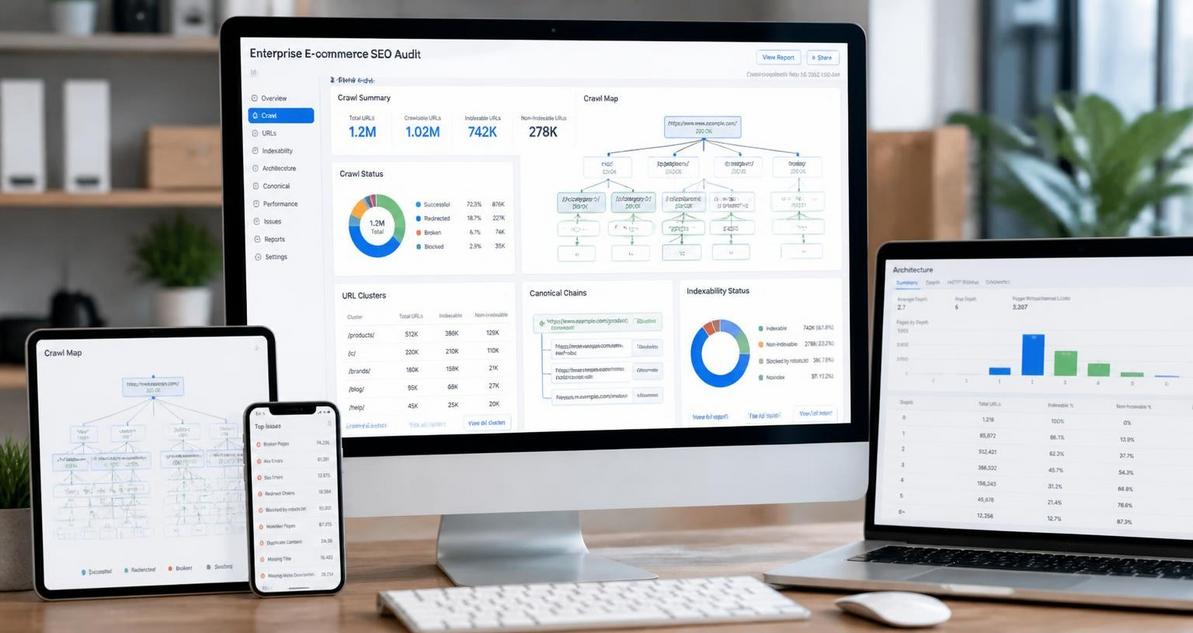
Large e-commerce sites in Singapore and the Philippines face a common technical reality: millions of URLs, rapidly changing inventories, faceted navigation, seasonal promotions, multilingual content, and constant pressure to convert organic traffic into revenue. A crawl tool that works for a 5,000-page brochure site will not hold up when an online retailer has product variants, parameterized URLs, pagination, internal search pages, and category structures that change every week. Lumar, formerly Deepcrawl, is built for this scale. It helps teams surface crawl inefficiencies, indexation issues, canonical conflicts, and performance bottlenecks before they erode revenue or waste search engine crawl budget.
For decision-makers and technical teams, the value of Lumar is not just visibility. It is the ability to operationalize site intelligence across SEO, engineering, merchandising, and analytics workflows. In markets like Singapore and the Philippines, where cross-border commerce, mobile-first behavior, and intense competition from marketplaces create high stakes, a scalable audit process gives brands a stronger command over organic discoverability. Massive e-commerce audits require more than a standard crawl. They require segmentation, rule-based prioritization, technical interpretation, and a repeatable framework that can be used after each release cycle or catalog refresh.
Why Lumar fits large e-commerce audit requirements
Lumar is designed to handle large-scale crawling across complex architectures. That matters because e-commerce sites often generate millions of URLs from product filters, sorting combinations, color and size variants, campaign parameters, and internal search states. If these URL patterns are not controlled, search engines may spend crawl resources on low-value pages instead of canonical category and product pages. Lumar helps teams identify the root causes by mapping the URL landscape, analyzing response codes, and highlighting content that is blocked, duplicated, orphaned, or incorrectly canonicalized.
Another reason Lumar stands out is its ability to support technical SEO governance. Large retail organizations usually have multiple stakeholders: developers, content teams, category managers, paid media teams, and third-party platform owners. A crawl platform must therefore do more than export a list of broken links. It must provide structured issue detection, prioritization logic, custom extraction, and trend tracking over time. That is where Lumar becomes useful for technical audits that need to inform backlog planning, sprint allocation, and launch QA.
What makes large e-commerce sites difficult to audit
E-commerce environments often suffer from URL explosion. Faceted navigation can create thousands of combinations that do not need to be indexed. Pagination can hide important category depth. JavaScript-heavy templates can mask content or delay discovery. In some cases, international setups introduce hreflang errors, inconsistent currency or language targeting, and duplicate category templates across country folders or subdomains. Lumar gives auditors the ability to isolate these patterns and quantify the technical impact.
The platform is especially useful when a site has layered architecture, such as category, subcategory, brand, product, editorial, and campaign landing pages. Each layer has different indexation rules and internal linking patterns. A good audit should not treat them equally. Instead, it should separate crawlable URLs by template, response type, indexability, and commercial value so that remediation can focus on revenue-critical sections first.
Set up Lumar for a high-volume crawl without losing signal
Massive audits fail when teams crawl without a plan. Before launching a crawl, define the scope carefully. Decide whether the audit should cover the entire domain, a country-specific subfolder, a staging environment, or a selected product category set. For regional e-commerce businesses, this often means separating Singapore and Philippines site versions to detect local indexation issues, localization gaps, and internal linking inconsistencies. A segmented approach makes findings easier to interpret and action.
Authentication settings also matter. If the site contains account-gated areas, cart pages, or private staging environments, configure access so the crawler sees the same content as a search engine or logged-in user where appropriate. If the site is JavaScript-rendered, validate how Lumar handles rendered versus raw HTML, then compare the two outputs to identify content that may not be visible in initial server response.
Choose crawl inputs strategically
Do not rely solely on a home page crawl. For large sites, feed Lumar with XML sitemaps, logs where available, and curated URL lists from product feeds or internal databases. This helps surface high-value pages that may be orphaned or underlinked. XML sitemaps also allow you to compare declared priority against actual crawlability and indexability. If important URLs are present in the sitemap but absent from crawl paths, that gap usually points to internal linking or rendering problems.
At scale, crawl source selection directly affects audit quality. A sitemap-only crawl may miss unlinked pages. A pure discovery crawl may overrepresent old or low-value paths. Combining sources improves coverage and makes the dataset more representative of actual business priorities. That is particularly relevant for seasonal retail environments where new collections and promotional landing pages are introduced frequently.
Use Lumar to identify the technical issues that suppress organic revenue
The most effective audits focus on problems that directly impact crawl efficiency, indexation quality, and content eligibility. Lumar can be configured to surface these issues in ways that are easier to operationalize than raw crawl exports. The goal is not to find every issue in isolation. The goal is to cluster issues by business impact and template type so the remediation plan is realistic.
Indexability and canonicalization conflicts
Large e-commerce sites often generate duplicate product pages through color, size, sorting, and tracking parameters. Search engines need a clear canonical signal to understand which URL should represent the primary content. In Lumar, audit for canonical tags that point to non-indexable pages, canonicals that are self-referential but inconsistent across duplicates, and pages that are blocked by robots directives while still internally linked. These combinations confuse crawlers and create weak signals.
Canonical audits should also examine whether category pages and filtered views are competing with each other. If a faceted URL accumulates backlinks or internal link equity while the main category page remains underlinked, the site can unintentionally shift ranking potential away from the intended page. Lumar helps identify these conflicts by mapping canonical targets, indexability attributes, and link depth in a single dataset.
Pagination, parameters, and crawl traps
Pagination is a frequent source of wasted crawl budget. Product listing pages may continue beyond the useful depth of the catalog, while sorting and filter parameters create near-infinite combinations. Use Lumar to find URL patterns with repeated parameter signatures, thin content, and weak link equity. Then compare these against page templates to see whether the issue is structural or isolated to a category set.
Crawl traps often hide in internal search functions, infinite-scroll implementations, and site-generated filter URLs. If these paths are accessible to crawlers, they can consume significant crawl capacity without adding value. For very large catalogs, even a modest percentage of trap URLs can distort the audit dataset and obscure priority issues. Lumar makes this visible by showing repeated pattern clusters and depth anomalies.
Redirects, status codes, and soft 404s
Retail sites often retire products, replace old seasonal pages, or move category structures during redesigns. In these situations, redirect logic must be clean and consistent. Lumar can surface long redirect chains, loops, redirect-to-redirect patterns, and broken links that point to obsolete URLs. It can also help identify soft 404s, where a page returns a 200 status but contains little or no useful content.
Soft 404s are particularly damaging in e-commerce because they waste crawl resources and create poor user experiences. A product page that has been discontinued but still returns an indexable status with empty content can remain in search results longer than it should. The audit should determine whether the page should be redirected, consolidated, or removed with a true 404 or 410 status, depending on the business case and replacement availability.
Turn crawl data into prioritization that engineering teams can use
A massive crawl only becomes useful when issues are prioritized in a way engineering teams can execute. The most effective method is to score findings using a combination of business value, template prevalence, technical severity, and implementation complexity. Lumar data gives you the evidence base for that scoring model. Once the technical patterns are clear, map them to affected templates, URL volumes, and revenue potential.
For example, a broken canonical rule across one high-traffic category template may be more important than dozens of isolated title tag issues on low-value pages. Likewise, a navigation bug affecting all product pages should outrank a single missing meta description on an archived page. The priority should reflect scale, not just issue count. This approach is especially important for Singapore and Philippines enterprises where engineering resources are often shared across multiple digital initiatives.
Segment issues by template and commercial value
Template-level segmentation is one of the fastest ways to reduce noise. Group pages into categories such as top-level category pages, subcategories, PDPs, brand pages, editorial content, and campaign landing pages. Then compare crawl issues across those groups. If a single template is responsible for a large share of indexability errors, the remediation can often be fixed once in the codebase rather than page by page.
Commercial value should also guide the audit. Pages with strong conversion intent, high organic entrances, or strategic brand value deserve more attention than pages that have no realistic search demand. If analytics data is available, combine it with crawl findings to identify where technical issues are suppressing performance on pages that already have demand.
Align findings with release management
Lumar is most useful when it becomes part of the release process, not a one-off audit tool. Before deployment, run targeted crawls against staging environments to catch broken templates, missing metadata, incorrect canonicals, and internal link regressions. After deployment, rerun the crawl and compare issue deltas. This creates a quality assurance loop that reduces the risk of launching at scale with hidden SEO defects.
For large retailers that operate on agile release cycles, this workflow is critical. E-commerce teams often publish merchandising changes faster than technical audits can keep pace. A repeatable crawler-based QA model helps prevent technical debt from accumulating across product launches, redesigns, and seasonal promotions.
Practical implementation workflow for enterprise e-commerce teams
To make Lumar operational at scale, start with a crawl taxonomy. Define how pages will be grouped, which templates matter most, and what constitutes an issue for each section of the site. Then configure the crawl to capture the most relevant signals, including indexability, canonical tags, response codes, structured data status, internal link depth, and renderability where JavaScript is involved. Once the crawl completes, export the data into a shared working format that SEO, development, and analytics teams can review together.
The workflow should also include rules for recurring audits. Monthly checks are useful for large catalogs with frequent updates, while weekly monitoring may be necessary during product launches or site migrations. For organizations in Singapore and the Philippines, cross-market coordination matters as well. Localized pages, language variants, and country-specific landing pages should be compared separately so that a fix in one market does not unintentionally break another.
- Define crawl scope by market, subfolder, or template before running the audit.
- Seed the crawl with XML sitemaps, curated URL lists, and, where possible, log data.
- Measure indexability, canonicals, redirects, status codes, and renderable content across templates.
- Group findings by business value, URL volume, and implementation complexity.
- Validate whether parameterized URLs, faceted filters, and pagination create crawl traps.
- Compare sitemap declarations against actual crawl coverage to find orphaned or underlinked pages.
- Track issue recurrence across releases so that fixes become part of QA governance.
- Review country-specific versions separately when hreflang, localization, or currency rules apply.
When used this way, Lumar becomes more than an SEO crawler. It becomes an audit control system for complex commerce platforms. The teams that get the most value from it are the ones that connect crawl data to business logic, release management, and technical ownership. That is the difference between seeing problems and actually reducing them at enterprise scale.

I am Tricia Huang Mei, an Advertising Partner in Sotavento Medios with over two decades of experience in the Singapore advertising and business sectors. My career is defined by a commitment to driving high-impact marketing campaigns and fostering sustainable growth for the diverse business portfolios I manage.