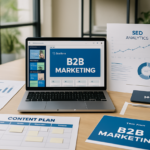
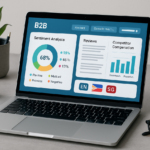
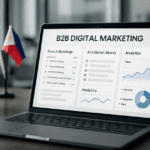
For businesses in Singapore and the Philippines, visual content is no longer a supporting asset. It is part of the search, social, and conversion stack. Teams compete in markets where attention spans are short, mobile usage is high, and content production has to serve multiple channels at speed. Canva’s AI features give marketing teams, in-house designers, and technical content owners a practical way to produce branded visuals faster while keeping assets aligned to SEO objectives, accessibility standards, and campaign performance goals. The real value is not simply faster design output. The real value is building a repeatable visual storytelling workflow that supports discoverability, page engagement, click-through rate, and message retention across websites, landing pages, blogs, and social distribution.
Why AI-assisted visual storytelling matters for SEO performance
SEO is no longer limited to keywords, internal links, and metadata. Search engines increasingly reward pages that satisfy intent efficiently, hold attention, and provide a coherent content experience. Strong visuals can reduce bounce risk, improve scroll depth, and make complex ideas easier to process, especially for B2B audiences evaluating services, platforms, or technical workflows. In Singapore and the Philippines, where buyers often research via desktop during work hours and mobile outside office hours, visuals must work across screen sizes, bandwidth conditions, and multilingual contexts.
Canva’s AI features are useful because they help teams translate a written content strategy into a visual system. Instead of producing isolated graphics, you can create supporting visuals that reinforce topic clusters, content hierarchy, and brand recognition. This matters for SEO because page quality signals often depend on how clearly the page answers the query and how effectively it guides the reader through the information. A well-structured infographic, comparison card, or process visual can make the content easier to consume and more likely to earn engagement from both users and distribution partners.
How search intent shapes visual requirements
Different intent types require different visual formats. Informational queries usually benefit from explainer diagrams, step-by-step graphics, or annotated screenshots. Commercial investigation queries often perform better with comparison tables, workflow maps, and feature snapshots. Transactional content may need trust-building visuals such as certifications, process illustrations, service maps, and case-study graphics. When you map visuals to intent, you reduce friction and improve alignment between what the page promises and what the user actually sees.
For example, a B2B SaaS company targeting operations managers in Manila might use an infographic to explain implementation stages, then add a simple feature comparison panel lower on the page. A Singapore-based professional services firm could use a process timeline to show governance steps, then support it with branded callout cards that reinforce compliance, turnaround time, and service scope. In both cases, the visual assets support the page’s semantic purpose rather than acting as decoration.
How Canva’s AI features support an SEO workflow
Canva’s AI tools are best treated as production accelerators within a structured content operation. They are most effective when used to create visuals from a defined message architecture, not as a substitute for strategy. Features such as Magic Design, AI image generation, background removal, text-to-image prompts, and resize automation can help content teams deliver more variants without adding excessive design overhead. For SEO teams, that means more room to test formats, match channel requirements, and maintain consistency across article images, social cards, lead magnets, and landing pages.
What matters technically is how these tools fit into the content pipeline. A typical workflow starts with keyword research and outline creation, then moves into visual planning, asset generation, editorial review, and publication. Canva’s AI can accelerate the asset generation stage, but the SEO value comes from the planning and review layers around it. Every image should have a clear purpose: support the heading, clarify a concept, compress complexity, or reinforce brand trust. If the image does none of these things, it adds weight without value.
Using Magic Design for format consistency
Magic Design can be useful when your team needs rapid production of social excerpts, blog hero visuals, and downloadable assets from a single message theme. For example, a digital marketing agency can take a long-form article on technical SEO and quickly create a suite of on-brand content cards for LinkedIn, email newsletters, and blog header banners. This improves visual coherence across the campaign and reduces creative drift. Consistent design also helps users recognize repeated topic themes, which is useful when you are building authority around a subject cluster.
Using AI-generated imagery with editorial control
AI-generated images should be handled carefully in B2B content because clarity and credibility matter more than novelty. Use AI imagery where illustration is more effective than photography, such as abstract process diagrams, conceptual workflow backgrounds, or industry-neutral scenarios. Avoid visuals that imply false specificity or misrepresent a workflow, product environment, or physical location. For trust-sensitive sectors such as finance, healthcare, logistics, and enterprise technology, editorial review should confirm that every AI-generated element supports the factual narrative.
Designing SEO-friendly visuals that support crawlability and accessibility
Search engines do not rank images in isolation. They evaluate page context, file names, alt text, captions, surrounding copy, and overall accessibility. This means your Canva output needs to be prepared for implementation, not just export. A visually strong asset can still underperform if it is poorly named, oversized, inaccessible, or disconnected from the surrounding section of the page.
Start with descriptive file names before upload. Use topic-specific names that reflect the page intent, such as canva-ai-seo-visual-storytelling-process.jpg or b2b-content-visual-framework-singapore.png. Avoid generic export names that carry no semantic value. Then write alt text that explains the functional purpose of the image, not every visual detail. If the graphic is a process map, describe the process. If the visual is a chart, explain what the chart communicates. Good alt text helps accessibility tools and supports semantic relevance.
Image compression and performance hygiene
Page speed remains a core technical consideration, especially for mobile-heavy audiences in Southeast Asia. Large image files can delay Largest Contentful Paint and reduce user patience before the page becomes usable. Canva exports should be reviewed for file size, aspect ratio, and format choice. Use WebP or optimized JPEG where possible, and keep dimensions aligned with actual layout needs. A hero image should not be uploaded at print-level resolution if the site only displays it at desktop banner size. Compression should preserve legibility, especially for text-based graphics.
When content teams standardize export settings, they reduce the risk of performance regressions across the publishing pipeline. That matters for agencies managing multiple client sites or in-house teams publishing at volume. A repeatable image checklist can prevent oversized assets from slowing down product pages, blog archives, and campaign landing pages.
Captions, context, and semantic reinforcement
Captions are underused in B2B SEO, yet they can strengthen message recall and topical relevance. A caption can clarify the image’s relationship to the section, support keyword context naturally, and guide the reader toward the next point. For example, a visual showing a content workflow can be captioned to emphasize how ideation, design, and publishing stages connect. This helps readers process information faster and gives search engines more surrounding context. The page becomes easier to interpret because the visual and textual elements reinforce each other.
Practical framework for building AI-assisted visual storytelling in B2B content
A useful framework for teams in Singapore and the Philippines is to treat every visual as a conversion-supporting content component. That means each asset should answer one of four questions: What does this explain, what does this compare, what does this prove, or what does this prompt the user to do next? This framework keeps Canva-generated assets grounded in business outcomes rather than aesthetic preference. It also makes collaboration easier between marketers, designers, subject matter experts, and SEO specialists.
For long-form articles, build a visual map before design begins. Identify where the reader may encounter complexity, doubt, or decision fatigue. Those are the places where AI-assisted visuals can add real utility. A process article may need a framework diagram near the top, a comparison graphic in the middle, and a checklist-style visual near the end. A service page may need trust icons, timeline graphics, or short-form proof points. The goal is to make the page feel structured and decision-ready.
Example application for a regional B2B campaign
Consider a campaign promoting SEO and content services across Singapore and the Philippines. The core article could target a keyword cluster around content strategy, technical SEO, and visual storytelling. Canva can generate the hero image, section dividers, LinkedIn carousel slides, and a downloadable checklist. The article itself can reference those visuals at natural decision points. The social assets extend the article’s reach, while the article improves authority by presenting the methodology in depth. This creates a connected asset ecosystem rather than disconnected pieces of content.
For multi-market campaigns, localization matters. A visual that works in Singapore may need minor adaptation for the Philippines, especially when the call to action, date formatting, or service framing changes. Canva’s template system helps maintain consistency while allowing localized edits without rebuilding the design from scratch. This is efficient for regional teams that need to scale content across markets while preserving brand quality.
Technical implementation checklist for SEO-ready Canva workflows
Use the following checklist to make Canva AI part of a disciplined publishing process rather than an isolated creative tool.
- Start with a keyword-led content brief that defines search intent, audience segment, and conversion objective.
- Map one visual purpose to each major section of the article before design begins.
- Use Canva AI to accelerate draft concepts, then review every asset for factual accuracy and brand consistency.
- Export files in web-friendly formats and confirm that dimensions match the site layout.
- Rename every asset with descriptive, topic-relevant file names before upload.
- Write alt text that explains function and context, not just appearance.
- Compress images to reduce page weight without losing text clarity.
- Add captions where the visual supports comprehension or strengthens semantic context.
- Keep color contrast, typography, and spacing aligned with accessibility expectations.
- Repurpose approved visuals into social, email, and presentation formats to extend asset value.
- Audit published pages regularly for broken assets, format issues, and layout shifts on mobile devices.
When this workflow is applied consistently, Canva’s AI becomes more than a design shortcut. It becomes part of a performance-driven content system that improves message clarity, supports discoverability, and helps B2B brands in Singapore and the Philippines publish faster without compromising technical quality.

I am Tricia Huang Mei, an Advertising Partner in Sotavento Medios with over two decades of experience in the Singapore advertising and business sectors. My career is defined by a commitment to driving high-impact marketing campaigns and fostering sustainable growth for the diverse business portfolios I manage.